
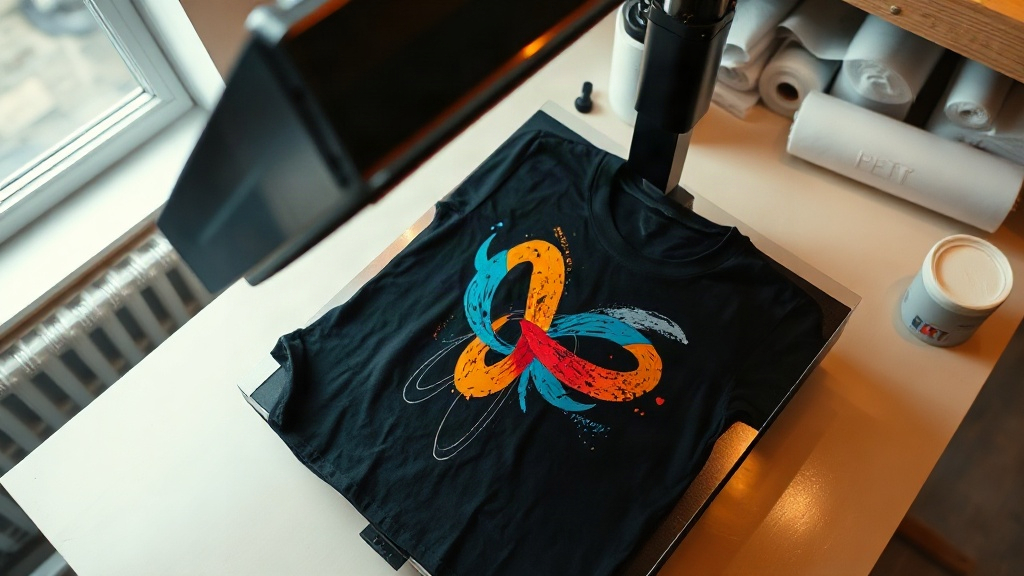
Most people meet DTF printing the same way: they order a single custom shirt, peel the transfer too early, and watch half the design stay stuck to the film. That frustration is avoidable, and it usually comes down to two things nobody explains up front, which is heat and timing. Once you understand what the film is actually doing, the whole process stops feeling like a gamble.
What DTF Printing Really Is
DTF stands for direct to film. A printer lays down a mirrored version of your artwork onto a special PET film using water-based pigment inks, then a powder adhesive is scattered across the wet ink and cured. The result is a flexible transfer you can store, ship, or press onto a garment whenever you need it. Unlike vinyl, there is no weeding. Unlike screen printing, there is no minimum order and no color separation work.
The powder step is what makes DTF different from older film transfers. That adhesive melts into the fabric fibers under heat, which is why a properly pressed transfer holds up through dozens of washes on cotton, polyester, and the tricky blends in between.
Why the Film Matters More Than the Printer
People obsess over printer brands and largely ignore the film. That is backwards. A cheap film with uneven coating will release inconsistently, leaving patches of adhesive behind or lifting ink before the press even touches it. If you are troubleshooting mysterious quality problems, swap your film before you blame your settings.
Where DTF Beats Other Methods
The honest answer is that DTF is not the best choice for every job. It is the best choice for a specific set of jobs, and knowing which ones saves you money.
- Small runs with many colors. One shirt with a twelve color gradient costs the same as one shirt with a single color.
- Polyester and blends. Sublimation needs light polyester, and vinyl struggles on coated fabrics. DTF handles both without dye migration drama when you use the right powder.
- Stretch fabrics. The cured ink film flexes with the garment instead of cracking at the edges.
- Dark garments. A white ink base is printed automatically, so your colors stay visible on black or navy.
Where it loses? Large orders of one simple design. At a few hundred identical shirts, screen printing usually wins on cost per piece. Choose the method that fits the order, not the one you happen to own.
The Press Settings That Actually Work
Every film and powder combination has its own sweet spot, but you can start from a reliable baseline and adjust from there. Treat these as a starting point, not gospel.
- Pre-press the garment for a few seconds to remove moisture and wrinkles. Skipping this is the single most common cause of a transfer that peels at the corners.
- Press at medium pressure around 300 to 320 degrees Fahrenheit for 10 to 15 seconds. Too little pressure and the adhesive never reaches the fibers.
- Peel cold or warm depending on your film's instructions. Most modern films are cold peel, and rushing a hot peel will stretch the design.
- Post-press with a cover sheet for another 5 to 10 seconds. This step re-melts the adhesive and noticeably improves wash durability.
If your transfer feels stiff, you are likely over-pressing. If it lifts after two washes, you are likely under-pressing or skipping the post-press. Those two symptoms cover most problems people bring to forums.
Reading a Bad Transfer
A transfer that looks dull right after peeling usually had too little pressure. A transfer with a visible shiny border had too much. Cracked edges after washing point to a cold garment or missing post-press. Learn to read these signals and you will fix issues in one attempt instead of five.
Artwork Rules That Save You Rework
You can print almost anything with DTF, but some files behave better than others. Vector-style art with clean edges transfers beautifully. Photos and fine gradients work too, though very fine details under a millimeter may soften slightly after pressing.
Leave a small margin of transparent space around your design so the film edge does not show. Avoid extremely thin hairlines, since the powder needs enough ink to grip. If a design has lots of tiny text, test one sample before committing to a full run.
Storage and Shelf Life
Cured transfers keep well when stored flat, away from humidity, dust, and direct sunlight. A sealed bag or a dry drawer is enough for months of storage. Humidity is the real enemy here, because moisture can reactivate the powder and cause clumping or uneven adhesion.
If you print in bulk, label your batches with the date and film type. When a customer reports a peeling issue months later, that label tells you whether the problem is the transfer or the press settings.
Common Questions About DTF Printing
How long do DTF transfers last on a shirt?
With correct pressing and normal washing, most transfers hold up for the life of the garment. Wash inside out in cold water and avoid high dryer heat. That single habit extends the life of any heat-applied design significantly.
Can I use DTF on 100 percent cotton?
Yes. Cotton is actually one of the easiest fabrics for DTF because the fibers give the adhesive plenty to grip. The same settings that work on cotton will usually work on blends, though you may need slightly more pressure on tight weaves.
Do I need a special printer for DTF?
You need a printer designed for pigment inks and film, plus a powder shaker and a heat press. Converting a standard inkjet is possible but rarely worth the trouble, since the ink chemistry and white channel requirements are different.
Is DTF cheaper than screen printing?
For small orders, yes, often dramatically. For large runs of the same design, screen printing becomes cheaper per unit as quantity grows. The crossover point depends on your colors and quantity, so price both before deciding.
Why did my transfer crack after the first wash?
Almost always one of three causes: the garment was not pre-pressed, pressure was too low, or the post-press step was skipped. Re-press a test piece with corrected settings and wash it before you change your entire workflow.